- External tool
- External tool settings
- Using External tool
- External tool FAQ
A working example
- The LMS School demo site has a Senior School Chemistry revision course The course is open to guests but activities are only available if you log in. Log in with username “student” and password “lms”.
- While there are many revision quizzes created with LMS’s own Quiz module, the Open Education ChemVantage site also offers videos, homework and alternative quizzes, so linking to such a tool provider allows instructors to save time generating their own teaching materials while benefitting from resources available elsewhere.
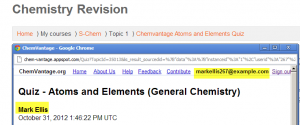
- When users click the External tool link (in this case the ChemVantage Atoms & Elements quiz) they are automatically signed into the connecting site/tool provider (screenshot 1 below) and can take the quiz immediately.
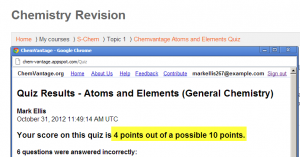
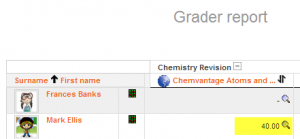
- When the user has completed the quiz, the tool provider displays their grade (screenshot 2 below) and when the user logs out of the tool provider, the grade is passed back into LMS (screenshot 2 below)
|
|
2. Tool provider displays score |
3. Score passed to LMS’s gradebook |