By default, only editing instructors and managers can edit course tags, as they have the capability lms/course: tag
If you wish other users to be able to tag courses without being able to edit other course settings, then you must create a new role with this capability and assign it in the course context. Here is how:
Creating the Course tagger role
- As an administrator, go to Site administration>Users>Permissions>Define roles and click the ‘Add a new role’ button at the bottom of the screen.
- On the next screen, choose ‘No role’ as role archetype and click ‘Continue’
- Give the role a name and if desired a description and tick the “Course” context.
- In the filter, type ‘course:tag’ and set this to ‘Allow’ (You might need to ‘Show advanced’)

- Create this role.
Assigning a user the role of Course tagger
- Go to the course in question; access Course settings >User links > Course Participants and enroll the user in this new role.
- Note that if you wish instructors to do this, then you must first tick this role for the instructor from Settings > Users >Permissions > Define roles >Allow role assignments.
What the user sees
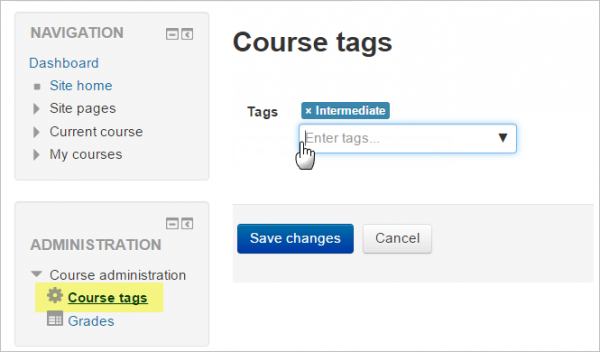
A user with the role of Course tagger will see a new link – Course administration >Course tags, from where they can tag the course.