
Contents
1 What are the languages supported?
2 When SMTP is not activated?
3 How does Timeline tab work?
4 How does Courses tab work?
What are the languages supported?
Mobile app same as the LMS site platform is compatible with more than 120 languages, you can find the language list here:
| Albanian | Irish | Shona |
| Amharic | Japanese | Sindhi |
| Arabic | Javanese | Sinhala |
| Armenian | Kannada | Slovak |
| Azerbaijani | Kazakh | Slovenian |
| Basque | Khmer | Somali |
| Belarusian | Korean | Sundanese |
| Bengali | Kurdish (Kurmanji) | Swahili |
| Bulgarian | Kyrgyz | Swedish |
| Catalan | Lao | Tajik |
| Cebuano | Latin | Tamil |
| Chichewa | Latvian | Telugu |
| Corsican | Lithuanian | Thai |
| Croatian | Luxembourgish | Turkish |
| Chinese | Mandarin | |
| Czech | Macedonian | Ukrainian |
| Danish | Malagasy | Urdu |
| Dutch | Malay | Uzbek |
| Esperanto | Malayalam | Vietnamese |
| Estonian | Maltese | Welsh |
| Filipino | Maori | Xhosa |
| Finnish | Marathi | Yiddish |
| Frisian | Mongolian | Yoruba |
| Galician | Myanmar (Burmese) | Zulu |
| Georgian | Nepali | |
| Greek | Norwegian | |
| Gujarati | Pashto | |
| Haitian Creole | Persian | |
| Hausa | Polish | |
| Hawaiian | Portuguese | |
| Hebrew | Punjabi | |
| Hindi | Romanian | |
| Hmong | Russian | |
| Hungarian | Samoan | |
| Icelandic | Scots Gaelic |
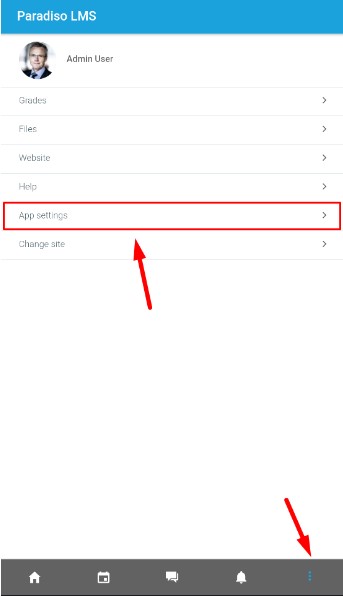
The Mobile app usually takes phone language as default, in case you need to change it, you can:
- Click on the three points icon at the bottom-left and then select the “App settings” option:
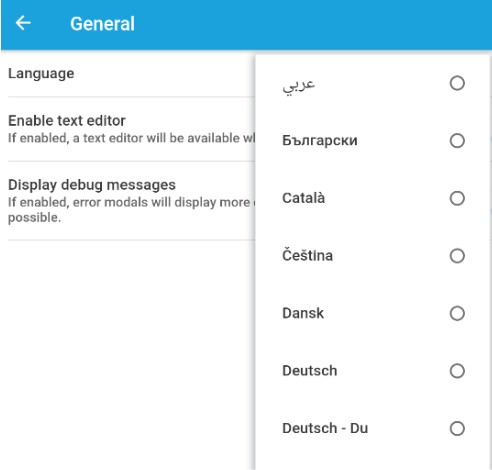
- Follow the route: App Settings > General > Language
- Then select the language you need from the list
When SMTP is not activated?.
When SMTP is not configured on the LMS, the following problems are going to occur on the mobile app:
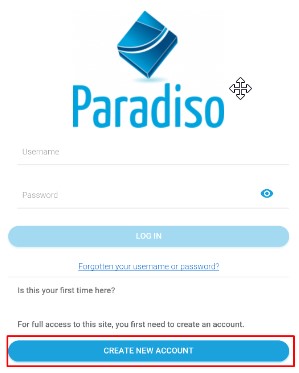
- Message when creating a new user won’t be send or it won’t indicate if the user were created or not
How does Timeline tab work?
Timeline tab is one of the 3 main tabs that appears when you open the abb

This tab will show me the activities or courses, that counts with a date that are next to happen. E.g. if a course / activity starts or ends in december 31, it will appear in the timeline
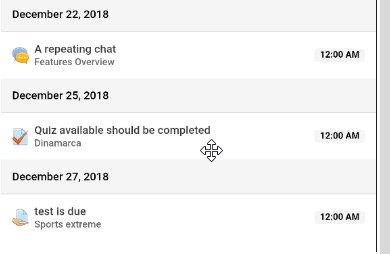
It also has some filters and Sorting options to make your search more accurate
How does Courses tab work?
Course tab will show you all the courses where you are enrolled
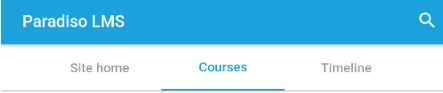
It counts with a filter allowing you to search for specific courses more accurately
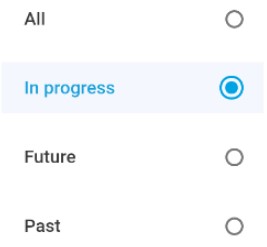
- All: Show all the courses where you are enrolled in.
- In progress: Show the courses that has already started but no yet finished, also the courses where you already started and have any progress.
- Future: Show the courses that are scheduled to start in future dates.
- Past: Show the courses that already