
1. Maya UI/UX Enhancement
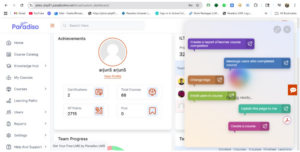
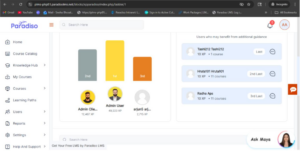
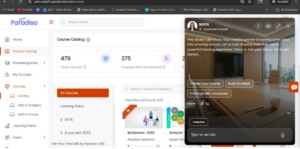
- UI/UX enhancements have been implemented for the Maya chatbot while retaining existing core functionality.
- Updated font styling on chatbot hover.
- Improved loader experience when opening the chatbot.
- Refined slider transitions for smoother performance.
- Updated background and font behavior within the chatbot.
- Enhanced icons in the top section.
2. MCP Integration: Leaderboard, SCORM & ILT Activity Queries
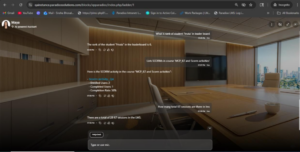
- MCP is successfully integrated with the AI chatbot and functioning correctly.
Admin Capabilities:
- Can query:
- SCORM package activities
- ILT sessions
- Level Up leaderboard
- Chatbot provides accurate and relevant responses across LMS data.
User Capabilities:
- Can query:
- Completed ILT sessions
- SCORM activity completion
- Personal leaderboard rank
- Responses are personalized and data-driven.
Access Control:
- Chatbot restricts access to admin-level data for unauthorized users.
- No response is returned for restricted queries.
3. Reporting Manager Role
- Introduced a new Reporting Manager role.
Key Features:
- Access to Manager Dashboard blocks.
- Navigation similar to student role (without overriding existing menus).
Role Assignment:
- Assignable via:
- User Profile (Manager field)
- Master Settings
Visibility:
- Reporting Managers visible in:
- Team Overview
- Master Settings
Note: Existing Reporting Managers will appear in both locations.
4. Quiz Report – Quiz Performance Block
For System Manager:
- Access to quiz reports for all users.
- Features available:
- Filters
- Export
- Edit
- Delete
- Regrade Attempts
- Quiz Selection Dropdown
For Reporting Manager:
- Access limited to assigned users’ data.
- Available features:
- Filters
- Export
Restrictions:
- Cannot perform:
- Edit
- Delete
- Regrade Attempts
- Quiz selection is:
- Pre-filled
- Disabled
5. Team Overview Block Enhancement
- Added Learning Hours column.
Details:
- Displays users’ learning hours.
- Positioned at the second-last column in the table.
- Helps managers track and analyze team learning progress.
6. ILT/VILT Training Block Update
- Repositioned Highlighted Data (Hours Completed).
Enhancement:
- Now displayed near the Download button.
- Improves visibility and user experience.
7. Skill Advisor Enhancement
New Features:
- Added “Create Competency” button.
- Introduced Skill Advisor submenu under Course menu.
Functionality:
- Button redirects to Competency Framework page.
- Button is configurable/editable.
Benefit:
- Faster navigation and improved accessibility.
8. Report UI Enhancement
- Improved usability with:
- Forward button positioned on the right side
- Checkbox selection feature
- Search functionality
- Tooltip added for report module
9. Roleplay in Competency
New Capability:
- Roleplay added to Skill Gap Quiz via Question Bank (using iframe).
Quiz Setup:
- Configured by admin via popup:
- Questions
- Question type
- Roleplay name
- iframe integration
Quiz Structure:
- First slide → Roleplay
- Followed by → Quiz questions
User Flow:
- Accessed via “Assess My Skills” in Skill Gap.
Post-Quiz Behavior:
- If skill gap identified → Recommended courses shown
- If no gap → No recommendations displayed
Summary
This release focuses on:
- Enhanced UI/UX (Maya chatbot & Reports)
- Improved role-based access (Reporting Manager)
- Advanced analytics & reporting
- Better learning visibility (Learning Hours)
- AI-powered insights (MCP integration)
- Interactive learning (Roleplay in Competency)